
Your finished work records itself.
A scheduled task in emeris counts as done when its time passes, unless you moved it. Anything you did off-plan takes one line to log. You get a dated record of what you finished, by project, without writing a single status update.
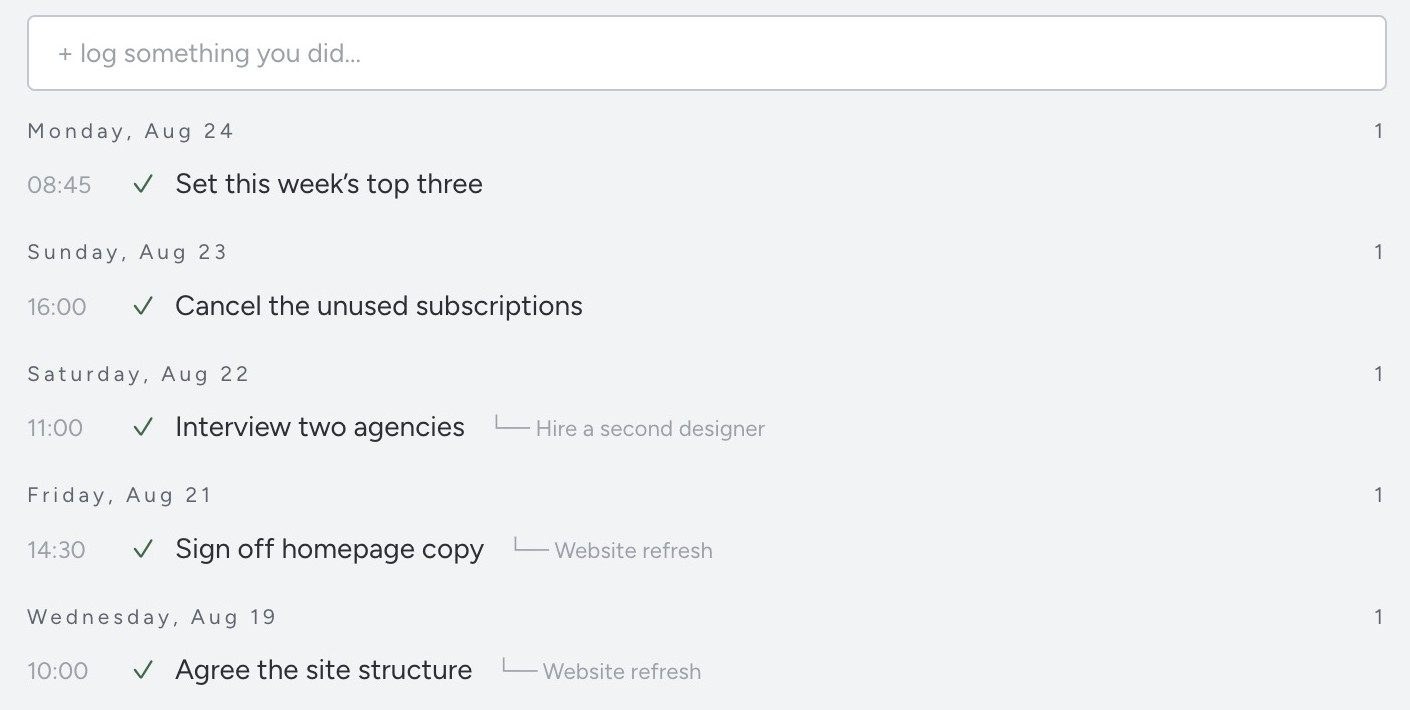
The record keeps itself.
No reporting to run
The record builds as you work. Nobody writes an update to say what happened.
Credit for the unplanned hour
Log a call that ran long and it counts like anything you planned.
Answers when you're asked
Pick a week or a month and Reports shows what was finished, by project. Export it as CSV for a board pack or an investor update.
Work reaches the record in four ways.
Scheduled work completes when its time passes.
When a scheduled task's time passes and you didn't move it, emeris marks it done. Plans change, so moving a task keeps it open. A finished task can always be reopened.
Log it in one line.
Type what you did in the done log and it joins the record with its time and project. Claude can log it for you too, with the exact time it took.
Forward it to done.
Forward an email to your done address and it's logged as complete. See Capture.
Reports read the record.
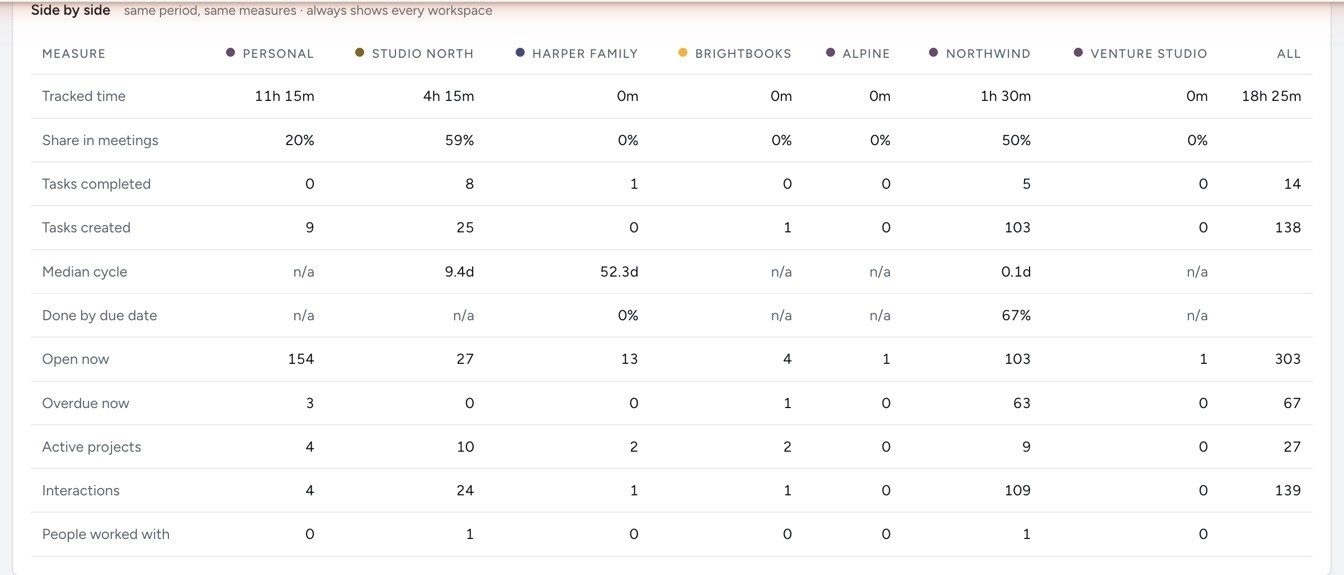
Reports show finished work and time by project for any week, month or range. They only read what you scheduled, finished or logged. Export everything as CSV at any time.
Questions founders ask
Do I have to write down what I did?
No. The record comes from your calendar. You only log work you did off-plan.
What if I didn't do a scheduled task?
Move it before its time passes and it stays open. If it was marked done, reopen it.
Can I export the record?
Yes. Export everything as CSV from Reports at any time.
Is this a manager dashboard?
No. There's no view of who was busy. Your record is yours.
Try emeris free for 30 days.
Every feature, for you and your team. No card to start.
Start free trial