
Plan your week in hours, with tasks beside your meetings.
Planner shows your week as a calendar grid. Scheduled tasks sit next to the meetings already in Google Calendar, so you can see whether the plan fits. Drag a block to a new time and the event moves with it. Finished work stays where you did it for a month.
See the whole week before you commit to it.
Know whether the week fits
Tasks and meetings share one grid, so you see the gaps and clashes before the week starts.
Change plans with a drag
Drag a block and the calendar event moves too. There's no second app to update.
See what you finished
Finished work stays on the Planner for a month, in the slot where you did it.
Planned work and meetings share one grid.
Switch views with one key.
Press W for the week grid and M for the month. Scheduled tasks, Google Calendar events and booked meetings all show on the same grid.
Move a block and the event moves.
Drag a task to a new time and emeris moves the event in Google Calendar.
Put a note on the day without blocking it.
Tick FYI only on a task and it sits on your week as free time, drawn hollow. Use it for a session you're following but not attending, or cover for a colleague. Other work can still be booked over it.
Think in columns when you'd rather.
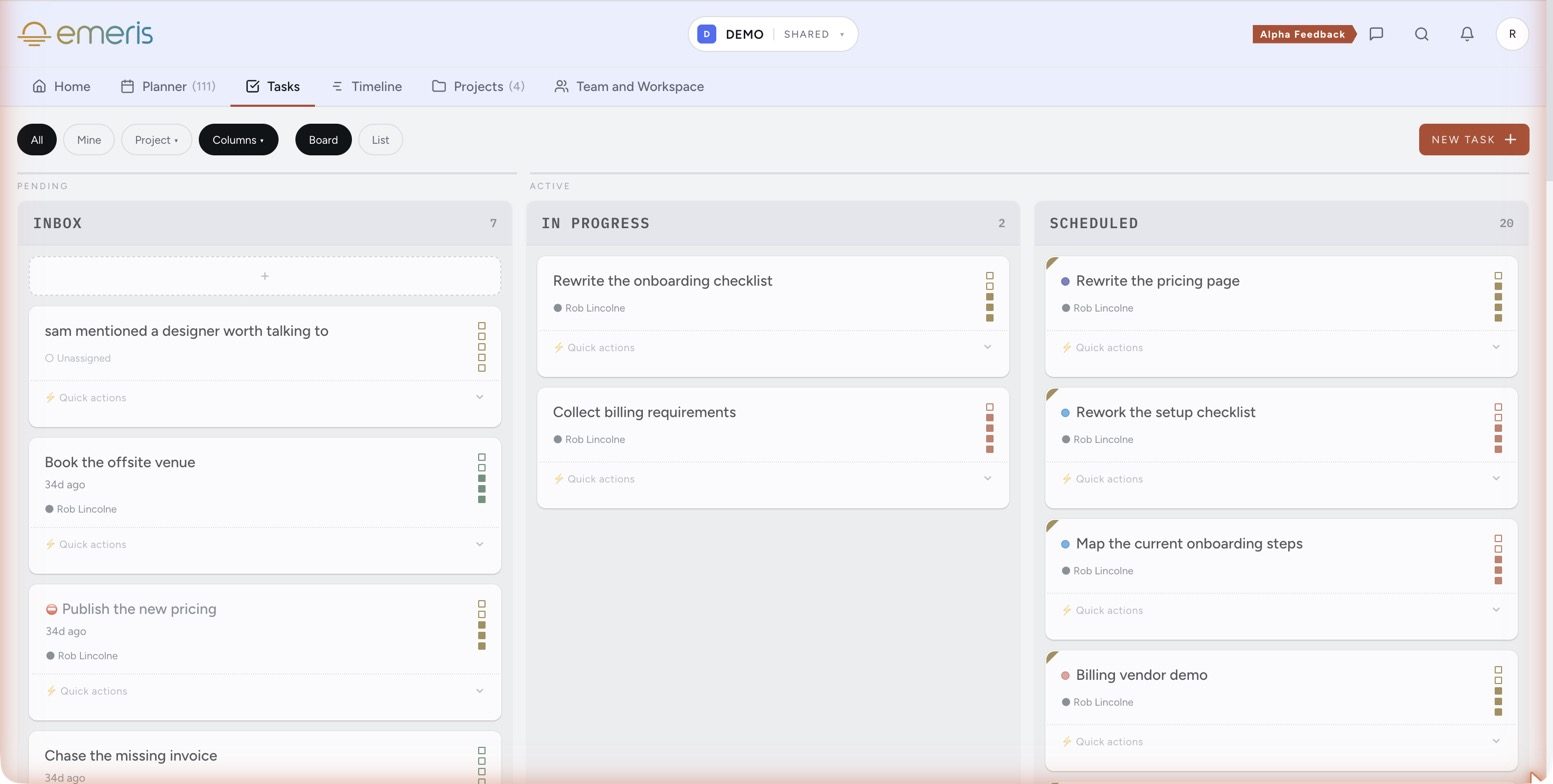
The Board on the Tasks tab shows the same work as five columns, Inbox, In Progress, Scheduled, Done and Someday. Change size, energy or project from the chips without opening the card.
Questions founders ask
Does the Planner show my team's calendars?
It shows your own week. Team week overlays colleagues who have shared their calendar with you, as anonymous busy blocks. See Team availability.
Can I plan without connecting a calendar?
You can capture and organise tasks. Scheduling needs Google Calendar connected, because emeris books into real free time.
How long does finished work stay on the Planner?
A month. The done log and Reports keep it after that.
Try emeris free for 30 days.
Every feature, for you and your team. No card to start.
Start free trial