
Run every project from one page, with its dates in view.
A project in emeris groups tasks under one outcome, with milestones, notes, files, guests and an activity feed. Milestones carry dates, so you can see when two deadlines land in the same week.
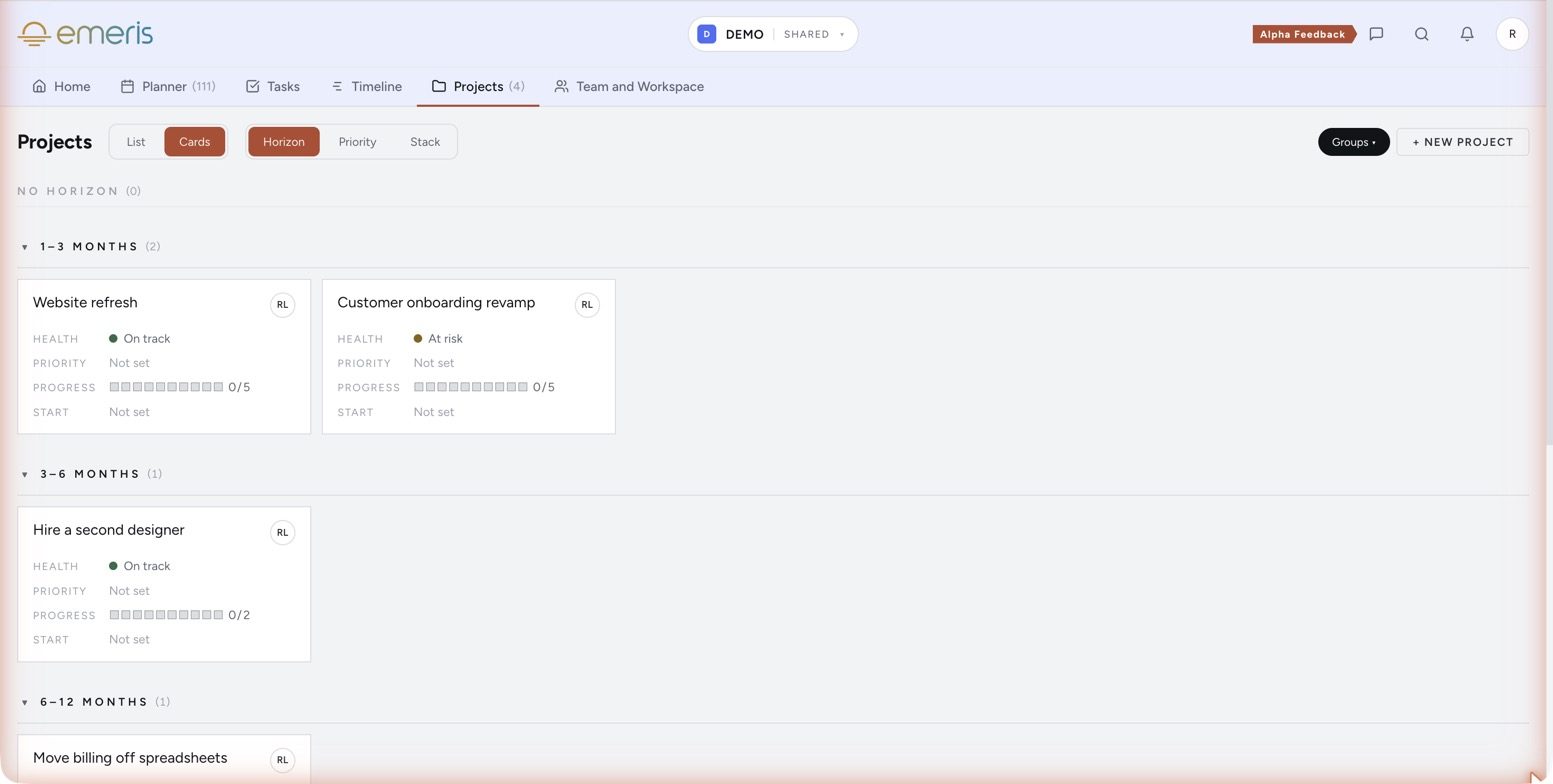
See every project and milestone in one view.
Spot the clash early
Milestone dates show when two deadlines land in the same week, while there's still time to move one.
Clients inside one project
Invite a client or agency as a guest on one project. They see that project and nothing else.
The whole story in one place
Notes, files, emails and activity sit on the project page, so whoever picks it up next has the background.
Each project runs from its outcome to a slot on the calendar.
Each project has its own page.
A dashboard, its tasks, milestones, notes, files, guests, an activity feed and settings for owner, visibility and archiving. Email notes and files to the project's own address and they file themselves.
Group projects by how far out they sit.
Each project sits 1–3, 3–6, 6–12 or 12–24 months out. The Projects tab groups them that way. Drag a card to move it.
Milestones track progress.
Give a project dated milestones and emeris tracks progress against them. Overdue work is flagged on the Board and the project page.
See what each project took.
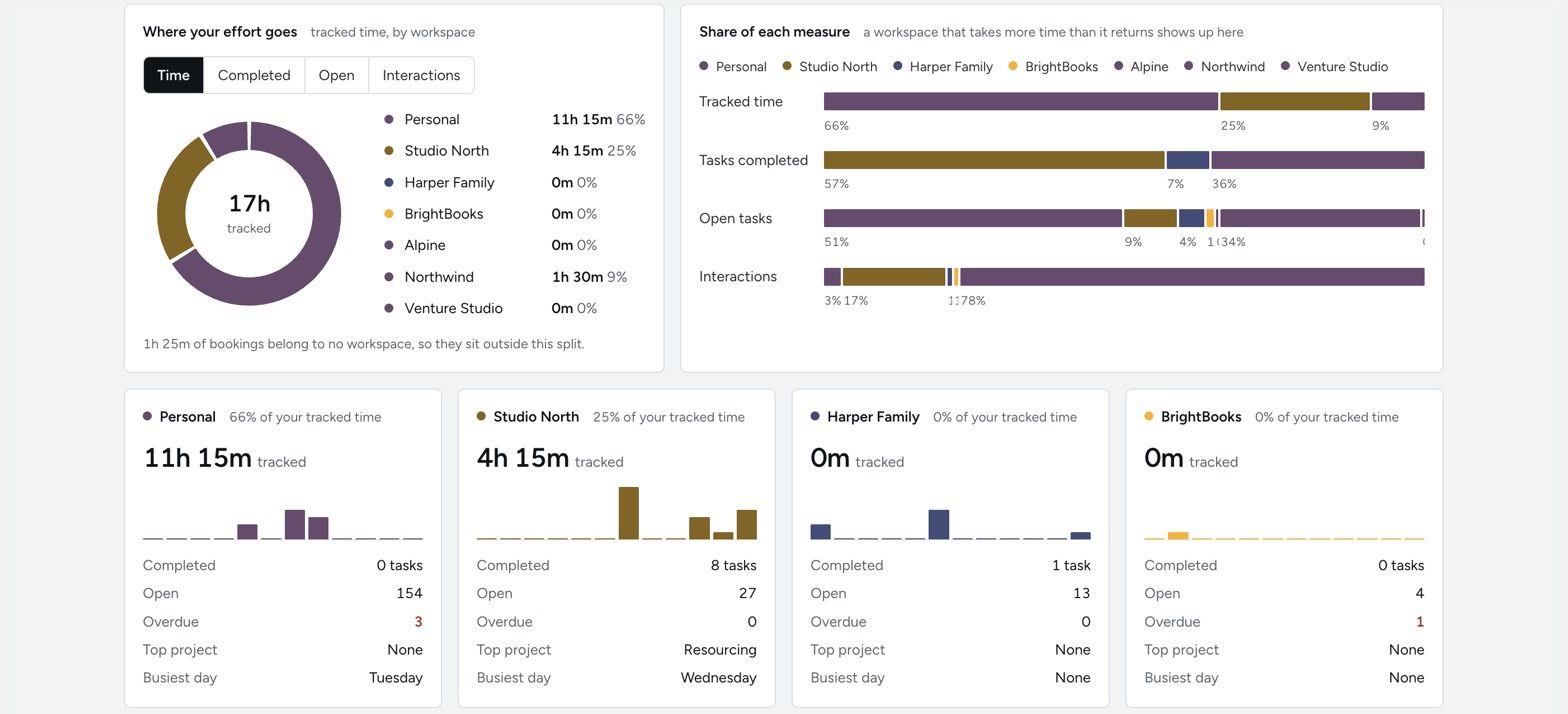
Reports show time and finished work by project and by workspace, for any range you pick.
Questions founders ask
Can a client see one project without the rest?
Yes. Invite them as a guest on that project. They see its tasks, milestones, notes, files and activity, and nothing else in the workspace.
Can I email notes to a project?
Yes. Every project has its own address. Mail sent there becomes a project note, with attachments filed underneath.
What happens when I archive a project?
It and its open tasks leave Tasks and Planner, and you can bring it back. Deleting is permanent, though its tasks survive as loose tasks.
Try emeris free for 30 days.
Every feature, for you and your team. No card to start.
Start free trial